
Holiday shopping season is when your inbox and your phone fill up with offers, shipping alerts and “last chance” deadlines. It is also when scammers do their best work, because a fake deal and a fake delivery notice look a lot like the real thing. The Federal Trade Commission (FTC) has repeated the same core advice for years, and most of it comes down to a handful of habits that cost nothing: check the seller, pay with the right kind of card, keep your records, and never tap a link in a surprise message.
This guide pulls those habits together from the FTC’s own consumer alerts, then adds practical checklists you can use before you click “buy.” Everything here comes from the FTC’s published guidance; where the FTC does not give a number, this article does not invent one.

How holiday online shopping scams usually work
The FTC describes a familiar pattern. Scammers operate online all year, especially on social media. They may impersonate real companies and run ads for brand-name products at unusually low prices. If you click the link in the ad, it can send you to a fake website that takes your money and then sends a counterfeit item, something very different from what was advertised, or nothing at all.
The FTC treats an unusually low price as a warning sign in its own right. A famous brand at a steep discount from a store you have never heard of is a reason to slow down, not a reason to hurry.
Three common lures
- The too-good-to-be-true ad. A name-brand coat, tool set or tablet priced far below every other store.
- The look-alike store. A site that copies a real retailer’s logo and layout but sits on a different web address.
- The payment squeeze. A seller who says you can only pay by gift card, wire transfer, payment app or cryptocurrency. The FTC says that request is “probably a scam.”
Your five-minute check before you buy
You do not need special software to vet an unfamiliar seller. The FTC’s advice is simple enough to do from your couch:
- Search the seller. Type the store’s name and the web address from the ad into a search engine, followed by words like “review,” “complaint” or “scam,” and read what other buyers report.
- Compare the price. If a name-brand item is far cheaper here than at stores you already trust, assume it could be counterfeit until proven otherwise.
- Read the product description. Vague wording, stock photos copied from elsewhere and no return policy are all worth noticing.
- Do not trust the padlock alone. The “s” in https means the connection is encrypted. It does not mean the site is legitimate, because scammers know how to encrypt their sites too.
- Choose your payment method on purpose. See the comparison below.
Which payment method protects you best?
This is where the FTC’s advice is most useful. With a credit card, you can dispute a charge if you were billed twice, billed for something that never showed up, or sent the wrong or a defective item. The FTC also notes that credit cards carry federal protections, so you do not have to pay for goods you ordered but never received. A debit card is not treated the same way in the FTC’s alert: you contact your debit card company and ask for help, and disputes are generally easier with credit cards.
| Payment method | What the FTC says | Takeaway |
|---|---|---|
| Credit card | You can dispute double charges, items never received, wrong items and defective items. Federal protections apply. | Best default for unfamiliar sellers |
| Debit card | Contact your debit card company (often your bank or credit union) and ask for help. The FTC publishes a sample dispute letter. | Workable, but generally harder than a credit card dispute |
| Gift card, wire transfer, payment app, cryptocurrency | A seller who insists on these is “probably a scam.” | Treat the demand itself as the red flag |

Fake shipping notices: the other half of the season
Even if you shop only at stores you trust, a second scam rides along with the holidays. In a December 2023 consumer alert, the FTC warned that scammers send fake package shipment and delivery notifications by email or text, and that this happens “not just at the holidays, but all year long.”
What the fake messages say
- A missed delivery attempt, with a link to reschedule.
- An item “ready to ship” that needs you to update your shipping preferences.
- An urgent deadline, with a threat to send the package back to the sender if you do not respond right away.
What the link can do
The FTC says the link may lead to a fake site that looks real and captures whatever you type. It could also install malware on your phone or computer that steals information, including usernames and passwords for online banking, email and social media accounts. Scammers can use those to steal your identity and open new accounts in your name. For a retiree, a drained bank login is a far bigger problem than a missed package.
What to do instead
- If an unexpected delivery message asks you to click a link, do not click it.
- If the message might be real, contact the shipping company using a phone number or website you know is genuine, not the contact details in the message.
- If it relates to something you ordered, go to the seller’s own website and check the shipping and delivery status there.
- Use the FTC’s resources for dealing with spam texts, phishing emails and unwanted calls.
Match the situation to the next step
| Your situation | What to do |
|---|---|
| A text says you missed a delivery and gives a link | Do not click. Check the order on the seller’s site, or call the carrier at a number you looked up yourself. |
| An ad shows a brand-name item at a steep discount | Search the seller’s name plus “review,” “complaint” and “scam” before entering any card number. |
| The seller will only accept a gift card, wire, payment app or crypto | Stop. The FTC calls this “probably a scam.” |
| Your order never arrived | Contact the seller first, then dispute the charge with your card company if that fails. |
| You think you were scammed | Tell the FTC at ReportFraud.ftc.gov and contact your card issuer or bank. |
If your order never arrives
The FTC lays out a clear order of operations, and following it in sequence helps:
- Contact the seller first. The FTC notes that most businesses will work with you to fix the problem.
- If that fails and you paid by credit card, dispute the charge with your card issuer.
- If you paid by debit card, contact your debit card company and ask for help.
- Report suspected scams at ReportFraud.ftc.gov.
Know the shipping rules
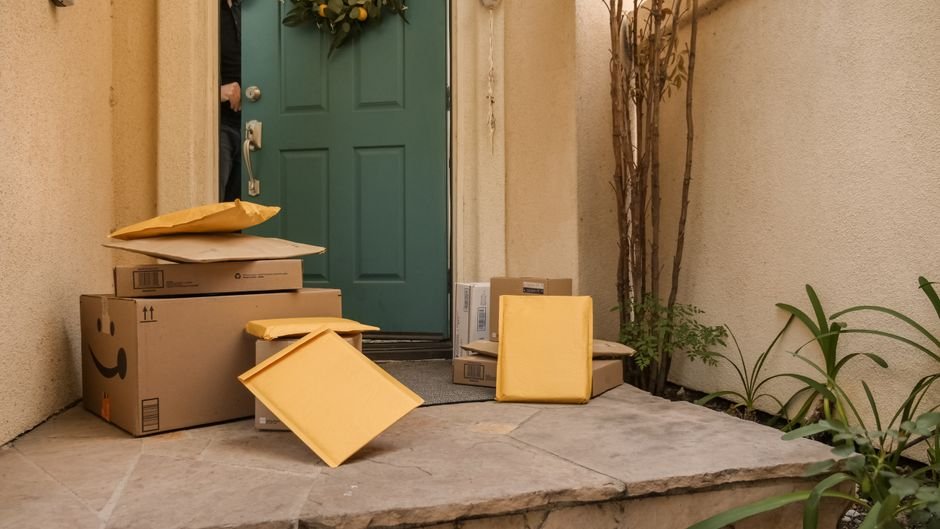
According to the FTC, sellers must ship when they state or advertise that they will. If they miss that date, they must tell you and give you the chance to cancel for a full refund. If no shipping date was given, the seller has 30 days from the date of your order to ship. That 30-day rule is why keeping your order confirmation matters: it gives you a start date to count from.
Keep records like you might need them
Save the receipt and the order confirmation number for every online purchase. The FTC says these help you recover your money if something goes wrong. A simple habit works well: take a screenshot of the product page and the confirmation, and keep them in one folder until the item arrives and works as described.
Common mistakes to avoid
- Trusting the padlock. Encryption is not a seal of approval.
- Paying by debit card to an unknown store. A credit card gives you a stronger dispute path, according to the FTC.
- Calling the number in the message. Look up the carrier’s or retailer’s number yourself.
- Waiting too long to act. If something goes wrong, contact the seller and your card company promptly. Your card issuer sets its own dispute timelines, so check yours.
- Skipping the report. Reporting at ReportFraud.ftc.gov helps the FTC spot patterns, even if you lost nothing.
A quick pre-checkout checklist
Run through these six questions before you pay. If any answer is “no” or “not sure,” pause.
- Have I looked up this seller’s name with “review,” “complaint” or “scam”?
- Is the price in line with stores I already trust?
- Am I paying by credit card, and not by gift card, wire, payment app or crypto?
- Did I type the web address myself or arrive from a link I can trust?
- Do I have a place to save the receipt and confirmation number?
- Does the seller state a shipping date or delivery window?
Frequently asked questions
Is a site safe if the address starts with https?
Not necessarily. The FTC says the “s” only means the connection is encrypted. Scammers can encrypt fake sites too, so you still need to research the seller.
Why does the FTC prefer credit cards over debit cards?
The FTC says credit cards carry federal protections and that disputes are generally easier with them. With a debit card, you ask your debit card company for help instead.
How long does a seller have to ship my order?
Sellers must ship by the date they state or advertise. If they miss it, they must notify you and let you cancel for a full refund. If no date was given, they have 30 days from the order date, per the FTC.
What if a delivery text looks like it is about something I really ordered?
Do not use the link. Go to the seller’s website and check the delivery status there, or contact the shipper through a phone number or site you know is real.
Where do I report a scam?
The FTC takes reports at ReportFraud.ftc.gov.
The bottom line
None of the FTC’s advice requires technical skill. Research the seller, pay with a credit card when you can, save your records, and treat any unexpected delivery link as untrustworthy until you have checked with the seller or carrier directly. Those few steps cover most of the ways holiday scams reach your wallet.